Chartplotter Remote Controls
Chartplotter Remote Controls and Control UnitsChartplotter Remote Controls -ryhmän tuotteet
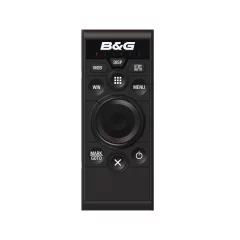
A single NMEA 2000® connection allows both power and control to be connected to a single ZC2 remote control, which can control up to six networked multifunction displays. Integrated LED indicators clearly show the selected display number, while a dedicated button quickly switches between available displays. The ZC2 can also be used as a remote autopilot control via any networked display. The MOB function allows a remote MOB alert to be sent to all networked displays.
Control optimized for Zeus², Zeus³, Glass Helm or Vulcan displays.
The ZC2 remote control features a keypad specifically designed for efficient and reliable operation of the latest Zeus², Zeus³, Glass Helm or Vulcan multifunction displays in all conditions. The controller's high-quality aluminum frame features a knurled edge for precise rotation and has built-in cursor functions for easy on-screen navigation.
Easy installation in vertical or horizontal position
- Control up to six Zeus², Glass Bridge or Vulcan multifunction displays
- Autopilot remote control possible via any networked display
- High-quality aluminum trackpad with integrated cursor functions
- MOB function (crew member falling detection)
- Vertical layout (horizontal installation version also available)
- Slim design is perfect for flush mounting
- Desktop mounting with low 8mm profile
- Zero-profile flush mount with optional bracket
- Integrated high-decibel speaker for important alerts
- Quickly switch displays with a dedicated button and LED indicators
- One NMEA 2000® connection

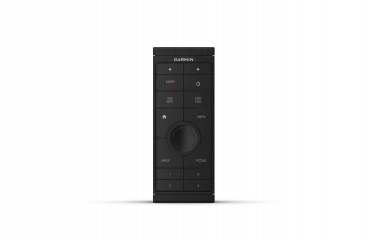
The easy-to-use GRID 20 remote control lets you remotely control and manage your entire Garmin marine system with ease. It features a joystick with a rotating dial and a selection button. They make it easy to access and fine-tune your chartplotter menus/settings, even in the harshest conditions. You can also assign four favorite buttons.
Other important functions include left and right display switches and autopilot standby/engagement. It also has a separate SOS button. Fixed or wireless installation options, as well as vertical or horizontal installation options. Thanks to its small size, it always has a good installation location.
- Easily remotely access and control your entire Garmin marine system
- Versatile all-in-one joystick with rotating dial and selection button
- Makes it easier to use and fine-tune chartplotter menus/settings even in the worst conditions
- You can assign four favorite buttons to recall previously saved system configurations
- Fixed and wireless installation options
- Easy connectivity
- Water resistance: IPX7
- Dimensions: 14.1 x 5.6 x 6.8cm
- Weight: 179 gTemperatures: -15–70 °C
- Material: fully encapsulated, durable plastic
- Recommended distance to compass: 114 mm
- Power input: NMEA 200 or-
- fixed power connection (with the supplied power cord):
- Input power: 9–32 V DC
- Fuse: 1.0 amp, fast-blow fuse
- Maximum power consumption (9 V DC): 1.5 W
- Typical current consumption (12 V DC): 40 mA
- Maximum current consumption (12 V DC): 120 mA
- Alternatively, you can also power it with 2 x AA batteries (not included)

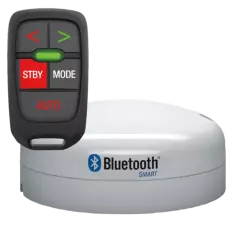
The Bluetooth module connects to the NMEA2000 network via a MIcro-C connector and has a range of approximately 50m. Functionalities include mode switching (Wind/No drift or Auto), one and 10 degree course changes, and an LED light to confirm commands.
The WR10 is compatible with Simrad AC12, AC42 and AC70, B&G Triton and H5000 and Lowrance NAC-1 models.
- Easy to use and install
- Compact and lightweight remote control with large buttons
- Steering or steering setting in 1° and 10° increments
- Separate autopilot standby and engagement buttons
- Wrist or lanyard attachment
- Up to 30 meters range
Product package contents:
- WR10 Wireless Remote Control
- T-1 WR10 base station (no cable)

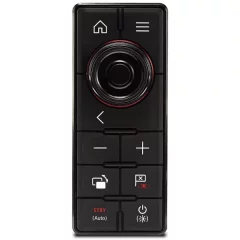
The Raymarine RMK-10 is the perfect solution for controlling out-of-reach multifunction displays or overhead electronics boxes. Instead of reaching for the multifunction displays, the RMK-10 brings system control to you.
For maximum comfort, you can attach the RMK-10 to the armrest of your cockpit chair. This way, you can sit still, relax, and enjoy the autopilot control while communicating with the navigation system.
The RMK-10 can also be used to bring remote system control to secondary displays and onboard LCD televisions connected to the VGA or HDMI connection on select e-Series, eS-Series and gS-Series displays, allowing you to view and control your Raymarine navigation system from the helm station, saloon or cabin below deck.
Using Raymarine's high-speed RayNet network, the RMK-10 can be installed to control a single multifunction display or multiple displays mounted in the same location. When controlling multiple displays in the same cockpit, the RMK-10 provides seamless control of all displays.
When used with aSeries or gS Series multi-touch displays, the RMK-10 brings full HybridTouch™ control to those devices. Seamlessly integrating with the LightHouse II user interface , the RMK-10 allows navigation system operation via touch, keyboard, or a combination of both.
- RMK-10 control panel
- For Raymarine multifunction displays
- Vertical and horizontal orientation
- Package includes a 2m rectangular power cable and a 2m RayNet network cable

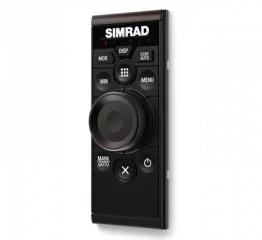
With NMEA 2000® networking for power and control, the OP50 controller can control up to six multifunction displays connected to the same network. Integrated LED indicators show which display is currently selected, and a dedicated button lets you quickly switch between available displays.
Controllers optimized for Simrad displays
The OP50 controller features a keypad specifically designed for Simrad multifunction displays, enabling reliable and efficient display control in all conditions. The knurled dial, made from high-quality aluminium, provides precise control and built-in cursor functions for easy navigation on the screen. The OP50 controller can be used to add traditional controls to a touch-enabled system, as a master controller in a non-touch system, or when you want to give one station complete control across multiple Simrad displays.
Easy vertical installation
With its slim design and side-mounted cable, the vertical OP50 fits perfectly into the armrest of a boat seat. Vertical mounting is also a convenient option when the controller needs to be mounted on narrow consoles or between Simrad touchscreens and wheelhouse displays. When mounted on the dashboard, the protrusion is only 8 mm. An optional bracket allows for a completely flat surface installation.
- Controls up to six compatible Simrad multifunction displays
- High-quality aluminum rotary knob and built-in cursor functions
- Low-profile dashboard mount or completely flat surface mount with optional bracket
- Integrated, loud speaker for alarms
- Vertical model (horizontal version also available)
- The narrow shape is perfect for attaching to the armrest of a boat seat