Raymarine RMK-10 MFD Remote Control Panel
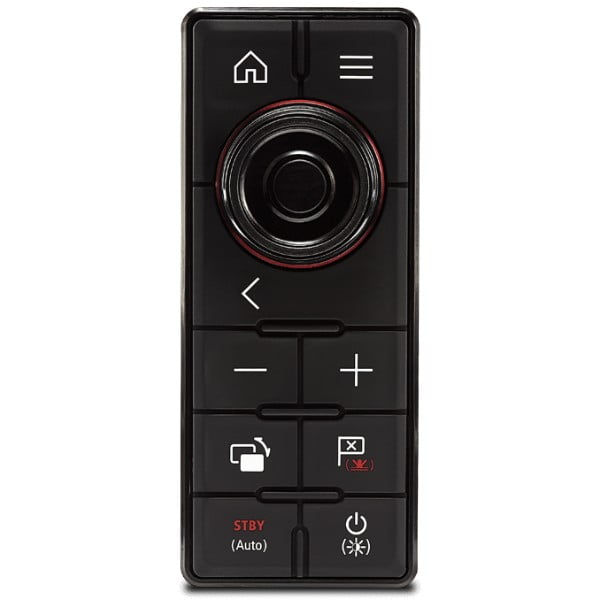
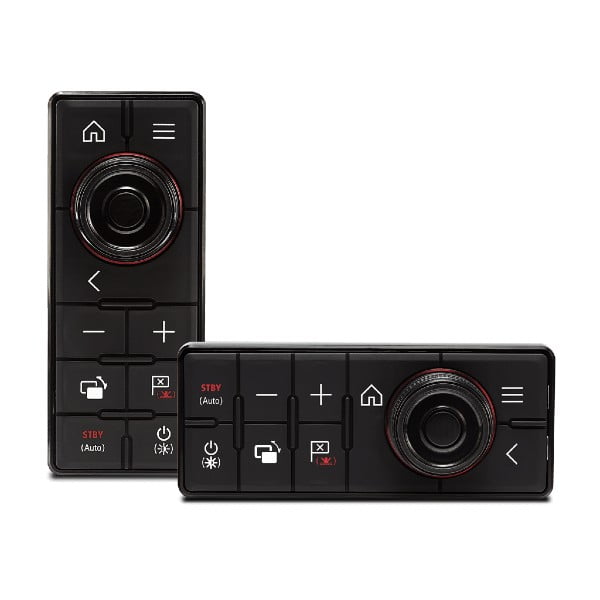
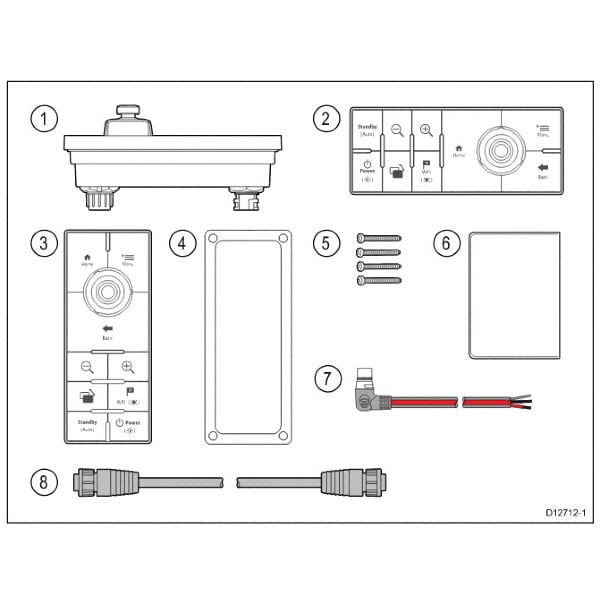
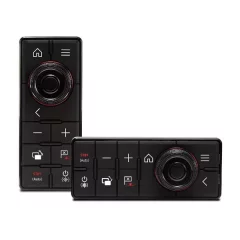
- RMK-10 control panel
- For Raymarine multifunction displays
- Vertical and horizontal orientation
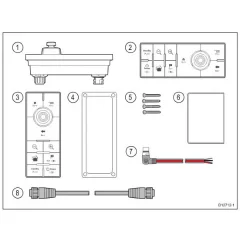
- Package includes a 2m rectangular power cable and a 2m RayNet network cable
The Raymarine RMK-10 is the perfect solution for controlling out-of-reach multifunction displays or overhead electronics boxes. Instead of reaching for the multifunction displays, the RMK-10 brings system control to you.
For maximum comfort, you can attach the RMK-10 to the armrest of your cockpit chair. This way, you can sit still, relax, and enjoy the autopilot control while communicating with the navigation system.
The RMK-10 can also be used to bring remote system control to secondary displays and onboard LCD televisions connected to the VGA or HDMI connection on select e-Series, eS-Series and gS-Series displays, allowing you to view and control your Raymarine navigation system from the helm station, saloon or cabin below deck.
Using Raymarine's high-speed RayNet network, the RMK-10 can be installed to control a single multifunction display or multiple displays mounted in the same location. When controlling multiple displays in the same cockpit, the RMK-10 provides seamless control of all displays.
When used with aSeries or gS Series multi-touch displays, the RMK-10 brings full HybridTouch™ control to those devices. Seamlessly integrating with the LightHouse II user interface , the RMK-10 allows navigation system operation via touch, keyboard, or a combination of both.
Tuotenr: 13988
Valmistajan tuotenr: T70293
- RMK-10 control panel
- For Raymarine multifunction displays
- Vertical and horizontal orientation
- Package includes a 2m rectangular power cable and a 2m RayNet network cable
The Raymarine RMK-10 is the perfect solution for controlling out-of-reach multifunction displays or overhead electronics boxes. Instead of reaching for the multifunction displays, the RMK-10 brings system control to you.
For maximum comfort, you can attach the RMK-10 to the armrest of your cockpit chair. This way, you can sit still, relax, and enjoy the autopilot control while communicating with the navigation system.
The RMK-10 can also be used to bring remote system control to secondary displays and onboard LCD televisions connected to the VGA or HDMI connection on select e-Series, eS-Series and gS-Series displays, allowing you to view and control your Raymarine navigation system from the helm station, saloon or cabin below deck.
Using Raymarine's high-speed RayNet network, the RMK-10 can be installed to control a single multifunction display or multiple displays mounted in the same location. When controlling multiple displays in the same cockpit, the RMK-10 provides seamless control of all displays.
When used with aSeries or gS Series multi-touch displays, the RMK-10 brings full HybridTouch™ control to those devices. Seamlessly integrating with the LightHouse II user interface , the RMK-10 allows navigation system operation via touch, keyboard, or a combination of both.
Tuotenr: 13988
Valmistajan tuotenr: T70293

Suosittelemme sinulle


